Press Brake Back Gauge: Complete Guide to Types, Axes, Calibration & Troubleshooting
- Conocimientos, Noticias
- 90+ reading now
Durmapress specializes in designing, manufacturing, and selling various metal processing equipment, including bending machines, shears, punches, and laser cutting machines. The company was founded in 2014, with years of experience and technology accumulation. DurmaPress has become one of the well-known brands in China's metal processing machinery industry.

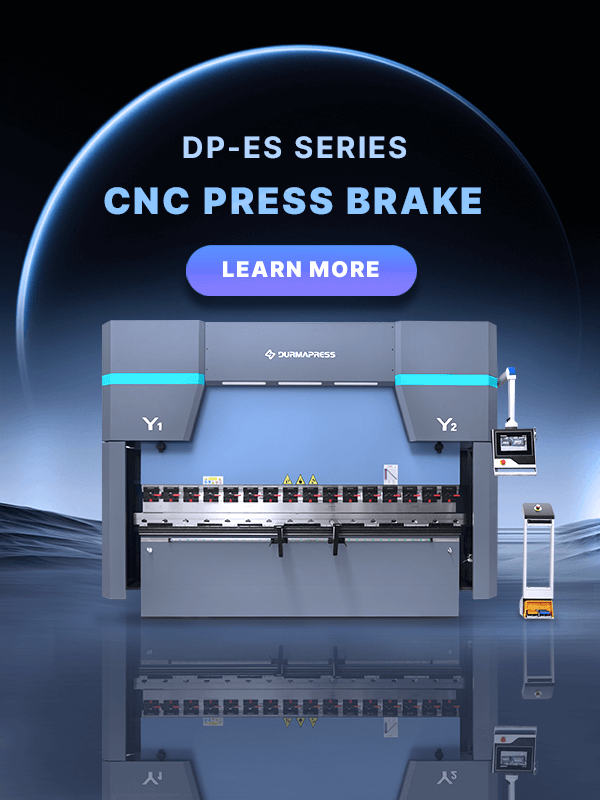
A press brake back gauge is the positioning system that tells a sheet metal blank exactly where to stop before the ram descends, and it is the single component most responsible for bend-to-bend repeatability on a Prensa plegadora CNC. Whether you operate a two-axis manual stop or a six-axis servo-driven system, understanding how the back gauge works — and how to keep it calibrated — directly determines your scrap rate, cycle time, and part tolerance. This guide walks through every axis configuration, component, calibration procedure, and troubleshooting scenario a fabricator needs to run a back gauge with confidence.
A press brake back gauge (also written as "backgauge") is a mechanical or servo-driven positioning device mounted at the rear of a press brake. Its job is to establish a fixed reference point against which an operator (or a robotic loader) pushes a sheet of metal, so that the bend line lands in exactly the right place relative to the sheet edge.
The back gauge sits behind the brake's die area, running parallel to the lower die (the V-die). It consists of a beam that travels forward and backward (toward and away from the operator), with one or more "fingers" mounted on that beam that make physical contact with the sheet.
In practice, the back gauge automates what used to be a manual, tape-measure-and-mark process. The operator (or the machine's CNC controller, on automated systems) sets a target dimension; the gauge beam moves to that position; the sheet is slid back until it touches the fingers; the ram fires. Every bend after the first uses the same reference, which is what makes repeat parts consistent.
Without an accurate back gauge, bend-line placement depends entirely on operator skill and manual measurement — a slow, error-prone approach that does not scale in production environments. A properly calibrated back gauge is what allows a shop to hold tolerances of ±0.1 mm or better across a batch of hundreds of parts, and it is often the deciding factor when evaluating an entry-level CNC press brake against a full servo-electric model.
The back gauge operates as a closed-loop positioning cycle that repeats for every bend in a part program. Understanding this cycle clarifies why axis count and servo quality matter so much for cycle time and accuracy.
Positioning Process
Flowchart: Position → Contact → Bend → Retract → Reposition → Repeat.
This is also where the Eje R (vertical finger height) becomes critical: on multi-bend parts, the gauge fingers frequently need to drop out of the way between bends so the formed flange does not collide with them — a detail covered further in the axis breakdown below.
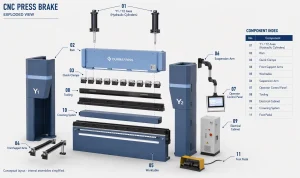
A CNC back gauge is a precision assembly of mechanical and electronic parts working together. Understanding each component helps operators diagnose faults faster and make informed purchasing decisions.
Back gauges range from simple manual stops to fully automated multi-axis servo systems. Choosing the right type depends on production volume, part complexity, and budget.
Many manufacturers market a distinct "servo back gauge" tier — a CNC back gauge where every axis (X, R, and any additional Z/X1-X2/R1-R2 axes) is driven by an independent AC servo motor with full closed-loop feedback, rather than a mix of servo and pneumatic/manual axes.
Axis configuration is the single most important spec when comparing back gauges, since it determines what part geometries the machine can handle without manual intervention.
Function: The X-axis controls the front-to-back travel of the entire gauge beam, setting the distance from the die centerline to the stop fingers. This is the primary dimension that determines flange length. Application: Every back gauge, from manual to six-axis, has an X-axis — it is the foundation of all bend-length positioning.
Why It's Needed: The R-axis raises and lowers the stop fingers vertically. On multi-bend parts, a previously formed flange can physically collide with the fingers if they stay at a fixed height. Avoiding Collision: By dropping the fingers (or the entire gauge beam height) between bends, the R-axis lets the sheet clear the gauge as it is repositioned for the next bend — essential for box, pan, and enclosure parts with multiple flanges on the same edge.
Left/Right Movement: Z1 and Z2 allow the two gauge fingers to move independently left and right along the beam. This lets operators support sheets of different widths or asymmetric parts without manually repositioning fingers by hand — the controller drives each finger to its programmed lateral position automatically.
Tapered Parts: X1 and X2 give each finger (left and right) independent front-to-back (X) travel. This is what makes tapered or trapezoidal parts possible — the left finger can sit at a different depth than the right finger, matching a non-parallel sheet edge in a single motion.
Independent Height: R1 and R2 give each finger independent vertical control. This supports parts where one side of the sheet needs a different finger height than the other — for example, stepped or offset flange geometries.
| Configuration | Axes Included | Best For | Relative Cost |
|---|---|---|---|
| 2-Axis | X, R | Simple straight-flange parts, low-to-mid volume | Lowest |
| 4-Axis | X, R, Z1, Z2 | General fabrication with mixed sheet widths | Moderate |
| 6-Axis | X1, X2, R1, R2, Z1, Z2 | Tapered parts, asymmetric geometry, aerospace/precision work | Highest |
Selecting a back gauge is a purchasing decision that should follow the shop's actual production profile rather than the highest spec sheet available. Work through these factors in order:
| Production Type | Recommended Axis Configuration |
|---|---|
| Simple Parts | X + R |
| General Fabrication | X + R + Z |
| Aerospace / Precision | 6-Axis (X1/X2, R1/R2, Z1/Z2) |
Positioning accuracy is where back gauge specifications translate directly into part quality. Several distinct — and often confused — metrics describe this performance.
Factors Affecting Precision: Beam rigidity, ball screw preload, linear guide condition, ambient temperature stability, finger contact surface wear, and controller backlash compensation settings all compound to determine real-world positioning tolerance — which is why routine calibration (below) is non-negotiable for tolerance-critical work.
Calibration restores the back gauge to its designed accuracy after wear, collision, or extended use has introduced positioning drift. Skipping calibration is one of the most common — and most avoidable — causes of scrap in bending operations.
When to Calibrate Calibrate after any detected dimensional drift, following a finger collision or crash, after replacing a ball screw or servo motor, or on a fixed preventive schedule (see frequency guidance below).
Tools Needed A certified precision measuring instrument (dial indicator or digital caliper with traceable calibration), a straightedge, a test sheet of known thickness and material, and the machine's calibration/service menu access.
Seguridad Lock out the machine's ram before performing any manual measurement near the die area. Never reach into the bending zone while the machine is powered and in cycle-ready mode. Follow your facility's lockout/tagout procedure for any adjustment requiring hand access near the gauge beam or fingers.
Step 1: Clean — Remove all dust, metal shavings, and oil residue from the gauge beam, linear guides, and finger contact surfaces. Debris on the guide rails is a frequent, easily overlooked cause of inconsistent readings.
Step 2: Measure — Using the dial indicator or caliper, measure the actual gauge position at several points across its travel range and compare against the CNC controller's displayed position to quantify any offset.
Step 3: Parallelism — Check that the gauge beam runs parallel to the die centerline across its full width using a straightedge or dial indicator sweep — a beam out of parallel introduces a taper error even if X-axis positioning reads correctly.
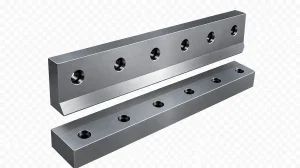
Step 4: Finger Adjustment — Adjust or replace worn stop fingers so their contact faces are square and at a consistent height, then re-tighten mounting bolts to the manufacturer's specified torque.
Step 5: Test Bend — Run a test bend on scrap material of the same gauge and material as production, measure the resulting flange dimension, and compare against the programmed target — adjust the controller's offset value until the measured result matches the commanded dimension within tolerance.
Calibration Frequency As a general guideline: verify daily with a quick reference-part check, perform a full measured calibration monthly, and schedule a comprehensive calibration (including parallelism and backlash checks) every six months or after any collision event — heavier-use shops should tighten this interval.
| Problem | Likely Cause | Solución |
|---|---|---|
| Back Gauge Not Moving | Servo drive fault, loose coupling, or E-stop engaged | Check E-stop status, inspect servo drive alarms, and verify the motor coupling is secure. |
| Wrong Position | Incorrect controller offset or uncalibrated axis | Re-verify the controller offset against the measured position and recalibrate the axis. |
| Finger Collision | R-axis not programmed to retract between bends | Update the bend program to include an R-axis retraction step and check collision avoidance settings. |
| Servo Alarm | Overload, overheating, or encoder feedback fault | Check the servo drive alarm code, inspect motor load and cooling, and verify the encoder cable connection. |
| Encoder Fault | Damaged encoder, loose cable, or contamination | Inspect and reseat the encoder cable, clean the encoder housing, and replace the encoder if the signal remains unstable. |
| Ball Screw Wear | Insufficient lubrication or extended service life | Inspect for play or looseness, relubricate according to the maintenance schedule, and replace the ball screw if backlash is excessive. |
| Backlash | Worn ball screw nut or loose coupling | Apply controller backlash compensation and replace the worn ball screw nut or coupling if necessary. |
| Repeatability Error | Contaminated linear guides, worn fingers, or thermal drift | Clean and relubricate the linear guides, replace worn fingers, and allow a machine warm-up cycle before precision production. |
| Noise | Dry ball screw, worn bearing, or loose mounting hardware | Lubricate the ball screw, inspect the bearings, and tighten all beam and motor mounting bolts. |
| Slow Movement | Servo drive parameter fault, mechanical binding, or overload | Check servo drive speed and torque parameters, inspect the guides for binding, and reduce the load if overloaded. |
Consistent maintenance is the most cost-effective way to preserve back gauge accuracy and avoid unplanned downtime. Structure inspection tasks by frequency:
| Frecuencia | Maintenance Task |
|---|---|
| Daily | Wipe the back gauge beam and fingers, perform a visual inspection, and check for smooth full-travel movement. |
| Weekly | Check lubrication levels, inspect finger wear or looseness, and verify the reference dimension. |
| Monthly | Perform a full measured calibration check, inspect servo mounting and cables, and check for backlash. |
| Every 6 Months | Verify full parallelism, check ball screw preload, perform encoder diagnostics, and replace worn seals or wipers if necessary. |
A press brake back gauge is a positioning device mounted behind the die area of a press brake that stops sheet metal at a precise, repeatable distance from the bend line, ensuring consistent flange dimensions across a production run.
The X-axis controls the front-to-back distance of the entire gauge beam from the die centerline, setting the primary flange length dimension for each bend.
A daily quick reference check, a full monthly calibration, and a comprehensive six-month calibration (including parallelism and backlash) is a reasonable baseline for most production shops; increase frequency after any collision or for tolerance-critical work.
In some cases, yes — retrofitting a manual gauge with a servo motor, ball screw, and CNC controller integration is possible, but feasibility depends on the machine's existing frame and controller compatibility, so a manufacturer or qualified integrator should assess the machine first.
Common causes include ball screw backlash, worn linear guides, encoder faults, thermal expansion during long runs, loose or worn stop fingers, and debris on the beam or guide rails.
The X-axis controls front-to-back beam travel (setting flange length), while the R-axis controls the vertical height of the stop fingers, allowing them to drop clear of previously formed flanges during multi-bend sequences.
Most industrial CNC back gauges achieve positioning accuracy in the ±0.02 mm to ±0.05 mm range, with repeatability often tighter, though actual performance depends on beam length, ball screw grade, and maintenance condition.
Box and pan parts with multiple flanges typically require at minimum an R-axis for collision avoidance, and often benefit from Z1/Z2 independent finger positioning to handle varying flange widths without manual adjustment.
Simple straight-flange parts need only X and R; general fabrication with mixed part geometries benefits from X, R, and Z axes; tapered, asymmetric, or aerospace-grade parts typically require a full 6-axis configuration (X1/X2, R1/R2, Z1/Z2).
An NC back gauge offers motorized, digitally displayed positioning but limited program automation between steps, while a CNC back gauge is fully integrated with the machine's controller to store and execute complete multi-bend programs automatically.
Rellene la siguiente información para recibir un presupuesto gratuito y un folleto de productos. Le responderemos en 24 horas.